 |
|

|
clearString neatComponents
|
|
clearString neatComponents How to redirect to another page, or to another site |

| ||
| Application Development | |
How to redirect to another page, or to another site | ||
| |
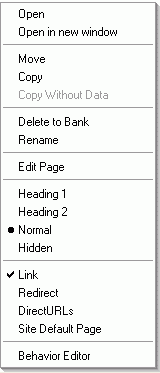 In the Layout Manager, right-click on the page in the website tree.
Choose 'Redirect'.
The Redirect dialog appears.
You may select between 301-redirect 'Moved permanently'
and 302-redirect 'Found eleswhere'.
Select the destination, and click OK.
Copyright © 2026 Enstar Systems Inc. All rights reserved |