 |
|

|
clearString neatComponents
|
|
clearString neatComponents The Toolbox |

| ||
| Application Development | |
The Toolbox | ||
| |
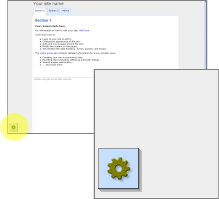
The Toolbox is an icon containing a menu of editing tools. It normally floats at the bottom left of the screen when you are logged on with editing permissions.
Common options include 'Edit Page' and 'Edit Section' which open the Text Editor for that page, and 'Behavior Editor', which opens a dialog to allow you to adjust the style, settings, and permissions of the page.
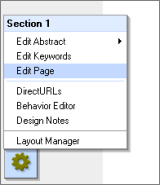
When you mouse-over the icon it expands to show a list of options.
The options available will depend both on the type of component you are looking at, and the permissions you have been given.
Tip
On earlier versions the Toolbox was represented by a different icon, but with exactly the same functions:
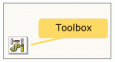
You may see references to the previous icon in some documentation.
Copyright © 2026 Enstar Systems Inc. All rights reserved |