 |
|

|
clearString neatComponents
|
|
clearString neatComponents How to rename a page |

| ||
| Application Development | |
How to rename a page | ||
| |
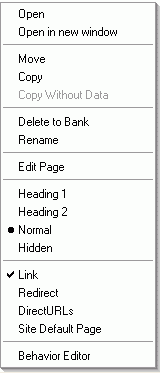 In the Layout Manager, right-click on the page in the website tree.
Choose 'Rename'.
The current name will be highlighted.
Type in the new name, and press Enter.
Copyright © 2026 Enstar Systems Inc. All rights reserved |