 |
|

|
clearString neatComponents
|
|
clearString neatComponents Color Picker dialog |

| ||
| Application Development | |
Color Picker dialog | ||
| |
The Color Picker dialog allows you to specify colors for use on the site.
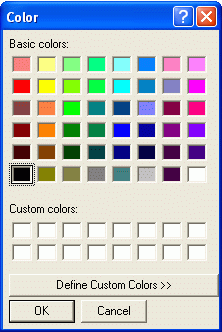
To select a color:
- Highlight the required color
- Click OK
You can choose from a wider selection of colors by clicking the 'Define Custom Colors >>' button:
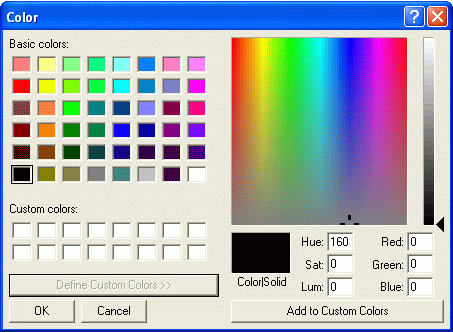
The details of this dialog may change depending on the version of Internet Explorer and the operating system you are using.
Copyright © 2026 Enstar Systems Inc. All rights reserved |