 |
|

|
clearString neatComponents
|
|
clearString neatComponents Toolbox |

| ||
| Application Development | |
Toolbox | ||
| |
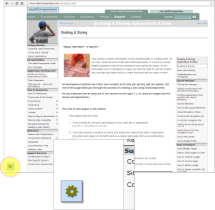 The Toolbox is an icon containing a menu of editing tools. It normally floats at the bottom left of the screen when you are logged on with editing permissions.
When you mouse-over the icon it expands to show a list of options.
The options available will depend both on the type of component you are looking at, and the permissions you have been given.
Common options include 'Edit Page'/'Edit Section' which open the Text Editor for that page/section, and 'Behavior Editor', which opens a dialog to allow you to adjust the style, settings, and permissions of the page.
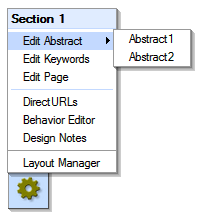
Edit Keywords - provides access to the Keyword field associated with the component to facilitate searching
Edit Abstact - opens the Text Editor for the Abstracts (the secondary, rich text area associated with a component).
DirectURL Editor - enables the designation of a Direct URL for the component which will also be displayed in preference to the default numerical schema of the Navigation system.
Design Notes - enable you to leave short notes explaining unusual configuration.
Layout Manager - will open the Layout Manager in a new window.
More information
Some Components have extended (or reduced) Toobox context menus that reflect the special options associated with them, or their place in the site.
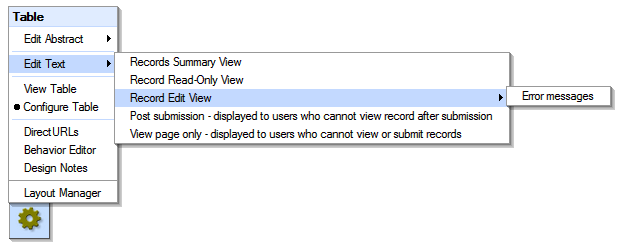
The example, above, is from a Table Component.
Copyright © 2026 Enstar Systems Inc. All rights reserved |